The Samson S-Patch Plus review comes down to whether a studio needs a convenient way to organize and reroute its hardware connections.
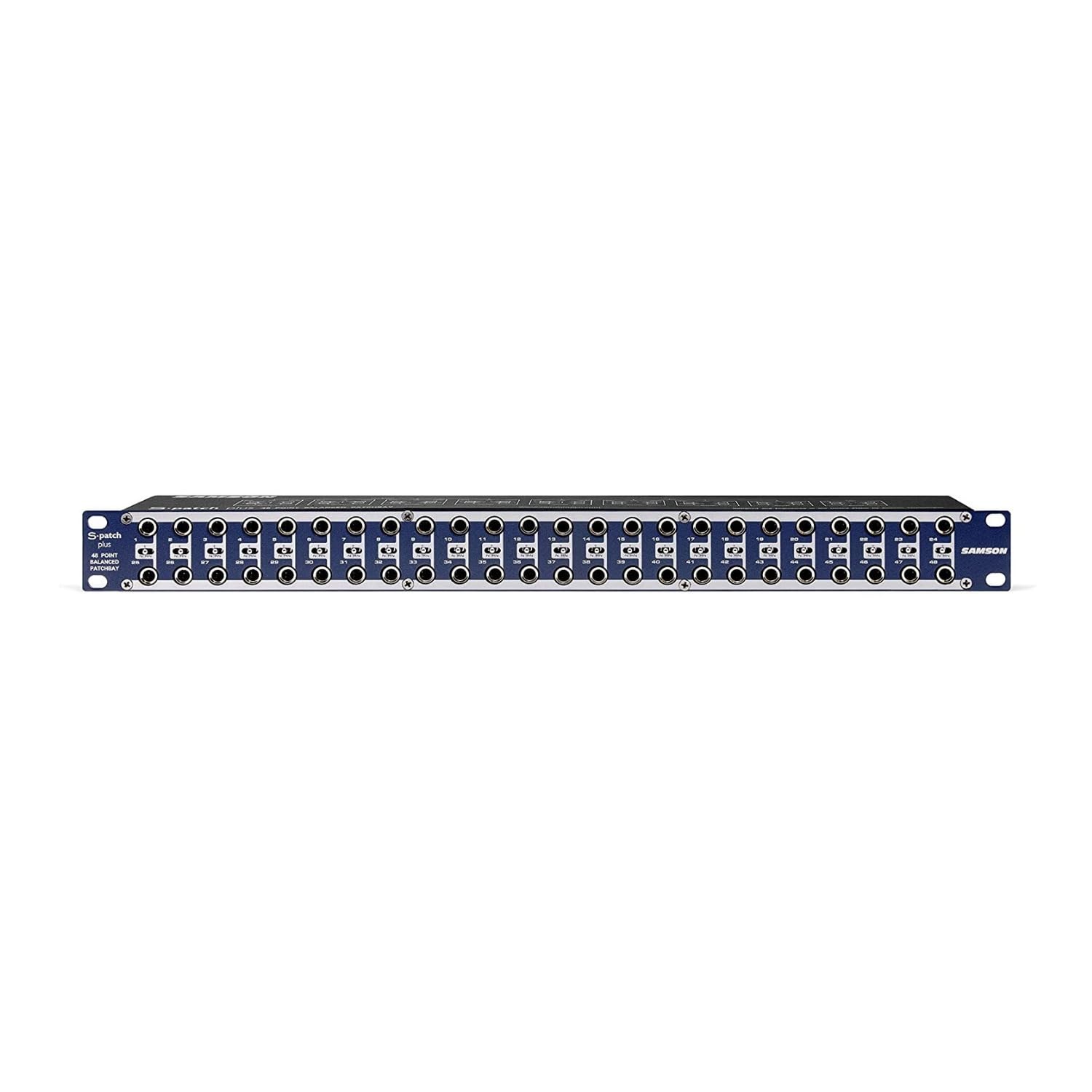
This 48-point balanced patch bay places configurable routing switches on the front panel, making it suited to recording and effects setups where signal paths change.
Samson S-Patch Review Summary
The quick verdict
500+ ratings
Read Amazon ReviewsSamson S-Patch Plus
A practical choice for studio owners who want front-panel access to balanced connections and configurable signal routing in a single rack space.
- 48 fully balanced patch points in a single-space rack unit.
- 1/4-inch phone connections on the front and rear panels.
- Each patch point pair can be set to normalled, half-normalled, or thru operation using a front-panel miniature toggle.
- Thru mode routes the rear top input to the front top connection, and the front bottom connection to the rear bottom output.

Pros
- Provides many balanced patch points in a compact one-space rack format.
- Front-panel connections and switches make rerouting more accessible in a rack.
Consider before buying
- Its 1/4-inch connection format may not suit every studio’s equipment or cabling; confirm compatibility before buying.
- The number of patch points and routing modes may be more than a small, mostly fixed setup needs.
Read the full review summary
The S-Patch Plus brings 48 fully balanced patch points into a single-space rack unit, with 1/4-inch connections on both the front and rear.
Rather than reaching behind a mixer or rack to change a cable, you can route connections from the front and set each patch point pair to normalled, half-normalled, or thru operation with a miniature toggle.
That flexibility makes it a strong fit for a hardware-based studio that wants a central patching point for recording paths, outboard effects, or other equipment connections.
Its appeal depends on having enough compatible 1/4-inch connections and a routing plan that benefits from patching; it is less useful for a setup whose signal paths rarely change.
The buying factors
Samson S-Patch Scorecard
Editorial scores reflect listed features and buyer fit; they are not laboratory measurements or customer ratings.
Routing flexibility
Each patch point pair can be set to normalled, half-normalled, or thru operation, supporting several routing approaches.
Front-panel access
Front connections and switches put patching controls where they are accessible within the rack.
Connection capacity
The single-space unit provides 48 fully balanced patch points for a substantial collection of studio connections.
Setup versatility
The stated use cases include recording signal flow and effects chains, with per-pair configuration for different needs.
Connection compatibility
The design centers on balanced 1/4-inch connections, so buyers should confirm their equipment and cable requirements match.
Ease of planning
The switches offer useful control, though buyers will need to understand their normalled, half-normalled, and thru routing choices.
Key Features and Specifications of Samson S-Patch
- 48 fully balanced patch points in a single-space rack unit.
- 1/4-inch phone connections on the front and rear panels.
- Each patch point pair can be set to normalled, half-normalled, or thru operation using a front-panel miniature toggle.
- Thru mode routes the rear top input to the front top connection, and the front bottom connection to the rear bottom output.
- Designed to centralize studio connections for signal-flow management and effects-chain patching.
Pros and Cons of Samson S-Patch
Pros
- Provides many balanced patch points in a compact one-space rack format.
- Front-panel connections and switches make rerouting more accessible in a rack.
- Three selectable modes allow patching behavior to be tailored by channel pair.
- Can serve as a central connection point for recording and effects signal paths.
Consider before buying
- Its 1/4-inch connection format may not suit every studio’s equipment or cabling; confirm compatibility before buying.
- The number of patch points and routing modes may be more than a small, mostly fixed setup needs.
- Making good use of the mode switches requires planning how each pair should route signals.
Who Should Buy Samson S-Patch?
Good fit
Consider the S-Patch Plus if your rack contains multiple pieces of hardware and you routinely change which device feeds another.
A central front-access patch point can make those changes more convenient and help keep the rear of the rack from becoming the place where every adjustment happens.
It also makes sense when a studio wants separate routing behavior for different connections.
The normalled, half-normalled, and thru choices can be assigned per pair, so you can plan for typical signal paths while retaining front-panel patching options for alternate routes.
Before choosing it, inventory the connections you intend to bring to the bay. Check that the equipment’s balanced 1/4-inch connections and your planned cables fit the layout, then map which pairs should use each mode.
Who should skip it
Skip it if your setup has few hardware connections and you rarely change signal paths; a 48-point rack bay may add complexity without much practical benefit.
Look for a different connection arrangement if your equipment and workflow do not match the bay’s balanced 1/4-inch format. Confirm the required connectors and routing behavior across your devices before settling on a patch bay.
Samson S-Patch Plus Review: Routing and Rack Fit
What the 48 patch points make possible
The 48-point capacity gives a hardware-focused studio room to bring multiple connections to one accessible location. That can be useful when a recording path includes several devices or when effects chains change between sessions.
The value comes from the connections you will actually patch: sketch the intended signal flow first and make sure the available points cover it.
Why the three modes matter
Normalled, half-normalled, and thru modes let each patch point pair behave differently.
This provides room to keep a typical route in place while using front-panel connections for alternate paths, or to pass connections through in the described thru arrangement.
The practical benefit depends on selecting the right mode for each pair, so a simple labeling and routing plan can help keep changes understandable.
A front-access workflow
With connections and miniature toggles on the front, routine changes can be made at the rack face instead of by reaching around connected equipment.
That design is most relevant when the rear of a rack is difficult to access or when hardware routing changes often. It still requires clear cable organization so that front-panel patching remains easy to follow.
Check the connection match
The unit uses balanced 1/4-inch connections at the front and rear. Before purchase, compare that format with the outputs and inputs of the equipment you plan to connect, and account for any cables or adapters your setup requires.
This compatibility check is especially useful when a studio combines different generations or types of gear.
Alternatives to Samson S-Patch
No alternative model is recommended here. Compare the connection format, patch-point capacity, and routing modes that matter to your studio before choosing another option.
Is Samson S-Patch Worth It?
The Samson S-Patch Plus is worth considering for a hardware studio that needs many balanced 1/4-inch connections in one rack space and expects to reroute equipment from the front.
Its configurable modes make it more adaptable than a simple fixed connection point, provided you plan how each pair should behave.
Buy it when the 48-point capacity and front-access workflow match your actual setup.
If your routing is mostly fixed or your equipment does not use the intended connection format, first map your signal paths and confirm compatibility so you choose a bay that fits the way you work.
Your review at a glance
500+ ratings
Read Amazon ReviewsSamson S-Patch Plus
A practical choice for studio owners who want front-panel access to balanced connections and configurable signal routing in a single rack space.
- 48 fully balanced patch points in a single-space rack unit.
- 1/4-inch phone connections on the front and rear panels.
- Each patch point pair can be set to normalled, half-normalled, or thru operation using a front-panel miniature toggle.
- Thru mode routes the rear top input to the front top connection, and the front bottom connection to the rear bottom output.