The MAONO PD100X pairs USB convenience with an XLR output, giving new streamers a straightforward way to start while leaving room for a more involved audio setup.
This review maono pd100x guide looks at what its connectivity, software controls, and desktop design offer for recording and live voice use.
MAONO PD100X Review Summary
The quick verdict
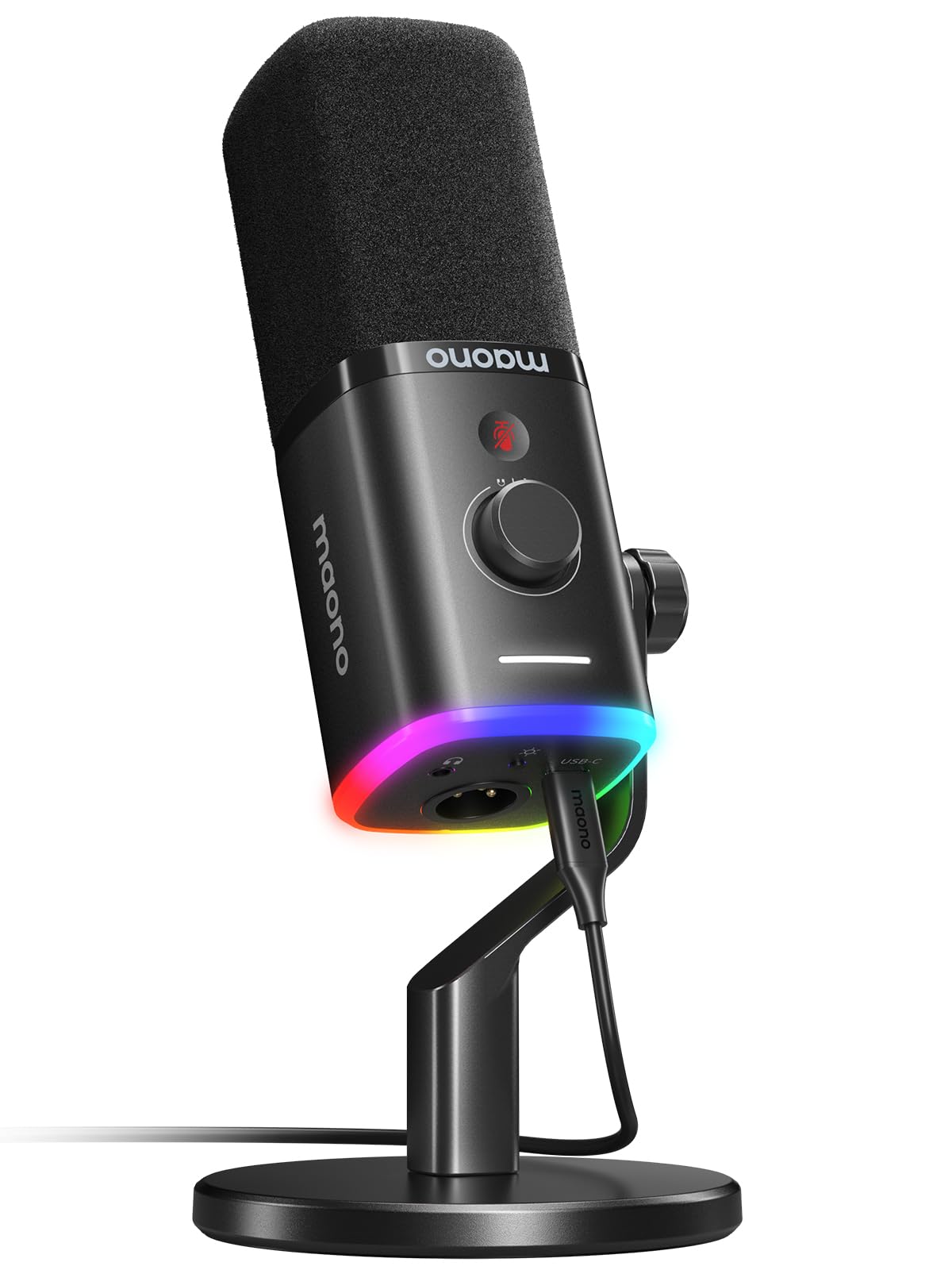
1,000+ ratings
Read Amazon ReviewsMAONO PD100X
A versatile dynamic microphone for creators who want simple USB setup, optional XLR routing, and onboard controls for streaming or podcasting.
- USB and XLR connectivity: USB supports plug-and-play use, while XLR can connect to an audio interface or mixer. An XLR cable is not included.
- Dynamic cardioid capsule: designed to capture voice in front of the microphone while reducing some surrounding sound.
- USB audio specification: 24-bit/48 kHz sampling with a 40 Hz–16 kHz frequency response.
- Noise reduction controls: MaonoLink software lets users adjust the noise reduction level when connected over USB.

Pros
- USB and XLR options suit both plug-and-play use and a later interface-based setup.
- Dedicated mute and gain/monitoring controls are convenient for live voice work over USB.
Consider before buying
- Mute, lighting, noise reduction, and the combined knob functions are available only over USB.
- The XLR cable is not included, so an XLR setup requires a separate cable and compatible interface or mixer.
Read the full review summary
The PD100X is a dynamic microphone built around a cardioid capsule, with a 40 Hz–16 kHz frequency response and 24-bit/48 kHz sampling over USB.
A headphone jack, tap-to-mute control, and a combined gain and monitoring knob make it possible to handle common recording adjustments from the microphone when connected by USB.
Its strongest fit is a desk-based creator who wants to begin with plug-and-play USB and may later connect through XLR to an interface or mixer. RGB lighting and software-based noise reduction add customization in USB mode.
Since these controls are tied to USB, buyers planning an XLR-centered setup should weigh the simpler signal path against the features they would give up.
The buying factors
MAONO PD100X Scorecard
Editorial scores reflect listed features and buyer fit; they are not laboratory measurements or customer ratings.
Connection flexibility
USB and XLR give it an accessible starting point and an option for compatible audio interfaces or mixers.
USB controls
Tap-to-mute, gain and monitoring adjustments, and headphone monitoring are useful at a streaming desk.
Voice capture design
The dynamic cardioid design is intended to focus on voice and reject some ambient sound; room and placement still matter.
Software customization
MaonoLink offers adjustable noise reduction and RGB settings over USB.
XLR workflow
XLR supports integration with a mixer or audio interface, though the cable is not included and USB-only controls do not carry over.
Desk setup
A desktop stand is included, making it suitable for a basic fixed-position setup, while buyers wanting an arm should check their preferred mounting arrangement.
Key Features and Specifications of MAONO PD100X
- USB and XLR connectivity: USB supports plug-and-play use, while XLR can connect to an audio interface or mixer. An XLR cable is not included.
- Dynamic cardioid capsule: designed to capture voice in front of the microphone while reducing some surrounding sound.
- USB audio specification: 24-bit/48 kHz sampling with a 40 Hz–16 kHz frequency response.
- Noise reduction controls: MaonoLink software lets users adjust the noise reduction level when connected over USB.
- RGB lighting: three modes and eight color options, adjustable through the software or the microphone’s bottom button in USB mode.
- On-mic controls: tap-to-mute, gain and monitoring volume adjustment, plus a headphone jack for real-time listening over USB.
Pros and Cons of MAONO PD100X
Pros
- USB and XLR options suit both plug-and-play use and a later interface-based setup.
- Dedicated mute and gain/monitoring controls are convenient for live voice work over USB.
- Software noise reduction can be adjusted for different recording environments.
- A desktop stand is included for a simple stationary setup.
Consider before buying
- Mute, lighting, noise reduction, and the combined knob functions are available only over USB.
- The XLR cable is not included, so an XLR setup requires a separate cable and compatible interface or mixer.
- The included desktop stand favors a fixed desk position; check your preferred placement and mounting arrangement before buying.
Who Should Buy MAONO PD100X?
Good fit
Consider the PD100X if you want a dynamic microphone for gaming, streaming, calls, or podcasting and value having both USB and XLR connections.
USB provides the easier starting route, with a headphone jack and physical controls that help manage mute, gain, and monitoring without reaching for separate software controls.
It also makes sense if you expect your audio setup to evolve. You can begin with USB and later connect the microphone by XLR to an interface or mixer.
Before choosing that route, account for the separate XLR cable and confirm that the gear you plan to use suits your workflow.
For a desk setup where lighting and noise reduction adjustments matter, the USB mode gives you access to MaonoLink customization.
The included stand is useful for a basic placement; consider your desk space and desired microphone position before deciding whether it fits your routine.
Who should skip it
Look elsewhere if your setup depends on using the microphone’s mute, monitoring, RGB, or software noise reduction features while connected over XLR. Those controls are specified for USB use.
This is also a less natural fit if you need a wireless microphone or a supplied boom arm. The described setup centers on USB/XLR connections and a desktop stand.
MAONO PD100X Review: How Its Features Fit a Creator Desk
USB for a low-friction start
USB is the most complete way to use the PD100X’s built-in controls. Plug-and-play connection, headphone monitoring, tap-to-mute, and the gain/monitoring knob can simplify a streaming or podcasting desk where adjustments need to be quick.
MaonoLink adds software control for noise reduction and lighting. As with any microphone, placement and room sound remain part of getting a voice recording that works for the intended use.
XLR adds a path to external gear
The XLR output gives the microphone a place in a setup built around an audio interface or mixer.
That can be useful for creators who already use external audio gear or want to move away from a direct USB connection.
The tradeoff is practical: the XLR cable must be sourced separately, and the listed USB controls—including mute, RGB, software noise reduction, and the knob’s functions—are not available in XLR mode.
Dynamic, cardioid design and room setup
The dynamic cardioid capsule is aimed at voice capture, with a directional pattern intended to favor sound in front and reduce some ambient noise.
This design can suit desk commentary and spoken-word recording, especially when the microphone is positioned deliberately.
It does not remove the need to consider keyboard noise, room reflections, or the distance between the speaker and mic; a brief test in your actual position is a sensible way to assess the result.
Controls and stand for everyday use
A tap-to-mute button can help when you need to silence a live feed quickly, while the headphone jack supports real-time monitoring in USB mode. The desktop stand gives buyers a basic out-of-box placement option.
If you rely on a boom arm or need to reposition the mic frequently, check how you plan to mount and position it before settling on this setup.
Alternatives to MAONO PD100X
Instrument Dynamic Microphones alternative
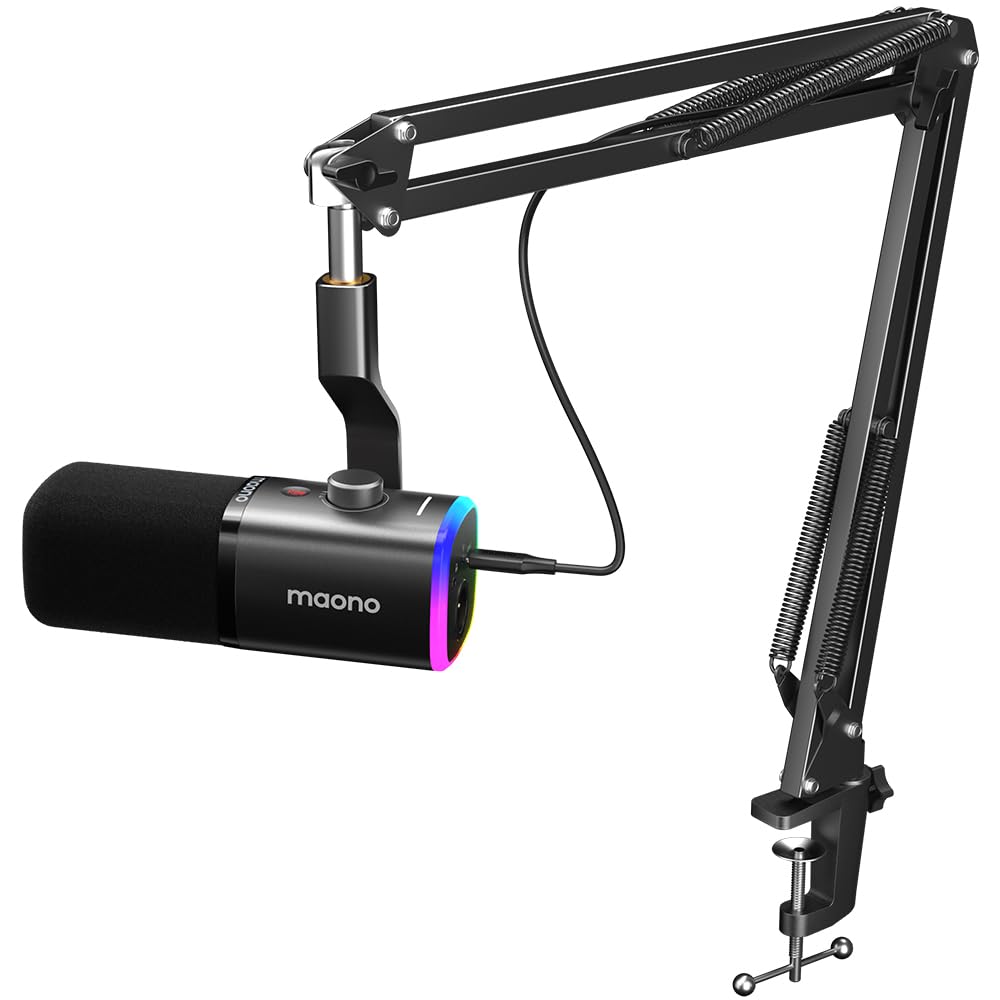
1,000+ ratings
Read Amazon ReviewsMAONO PD100XS
Compare the two if you are choosing between a desktop stand setup and a boom-arm kit.
The PD100X suits a buyer who wants the included desktop stand; the PD100XS may be a better fit if having a boom arm in the described package is more useful. Both center their extra controls on USB use.
- The PD100XS is also a USB/XLR dynamic microphone, and its supplied description highlights a boom arm, noise reduction, RGB lighting, mute, gain and monitoring controls.
- Its USB-only controls make it a similar style of desk microphone.
- The PD100X combines USB and XLR with a desktop stand, and its USB mode provides adjustable noise reduction, RGB, mute, and monitoring controls.
Battery-focused alternative
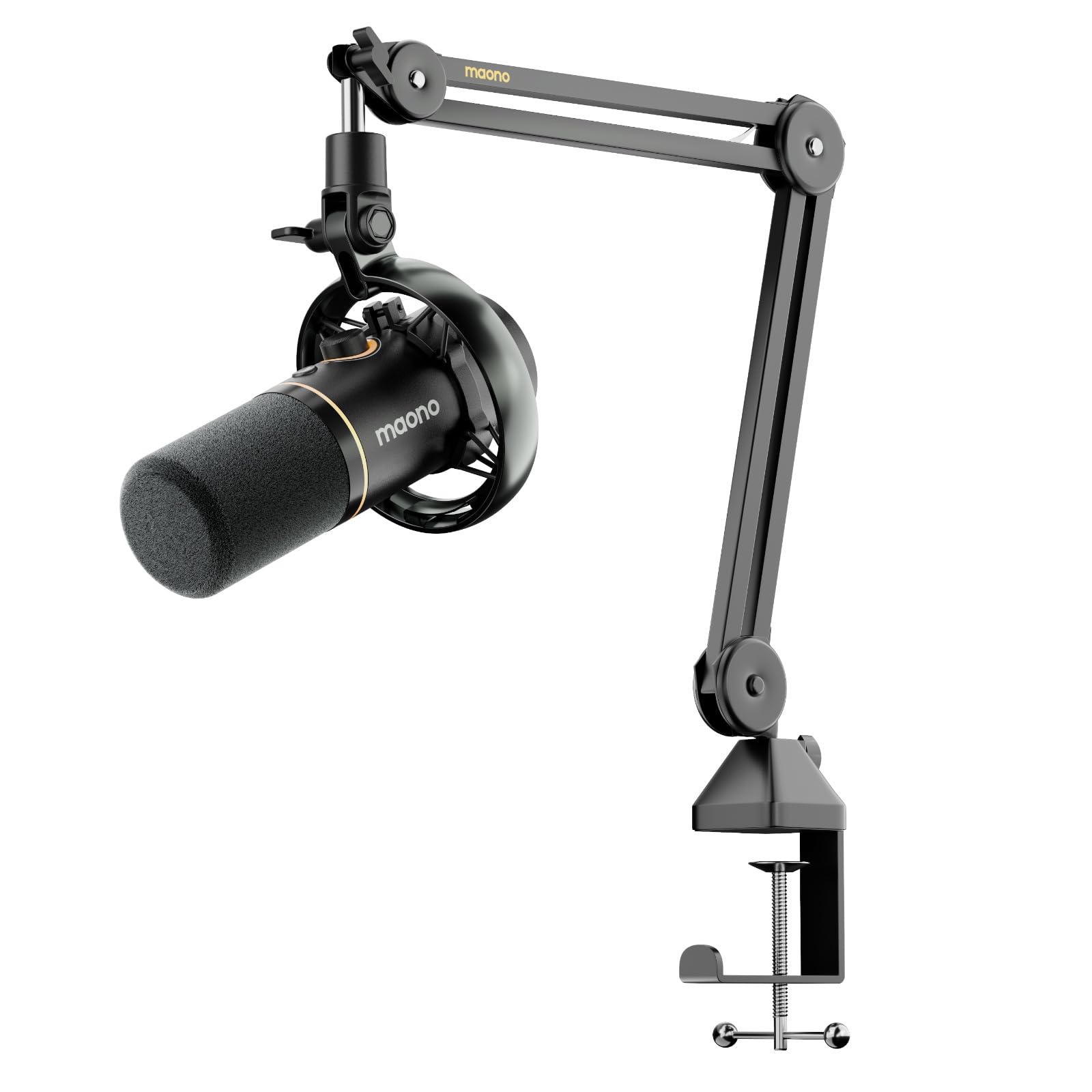
800+ ratings
Read Amazon ReviewsMAONO PD200W
Choose the PD100X if a wired desk microphone with USB/XLR flexibility meets your needs.
Consider the PD200W if wireless recording or two-microphone conversations are central to your setup and you want the supplied boom arm; its broader wireless feature set addresses a different, more mobile workflow.
- The PD200W offers wireless, USB, and XLR connection options, supports connecting two wireless microphones to one receiver, and is supplied with a boom arm.
- Its description also gives a wireless range and battery life, with RGB turned off for the latter.
- The PD100X is a wired USB/XLR desktop microphone with a desktop stand and controls for USB operation.
Is MAONO PD100X Worth It?
The MAONO PD100X is worth considering for a creator who wants a straightforward USB microphone with an XLR option for compatible audio gear later.
Its cardioid dynamic design, headphone monitoring, physical USB controls, and adjustable software features cover practical needs for streaming and spoken-word recording.
The key buying decision is whether USB will be your main connection or XLR. USB unlocks the microphone’s controls and customization, while XLR requires a separate cable and does not provide those USB-only functions.
If that tradeoff and the desktop stand suit your setup, the PD100X offers a useful, adaptable starting point.
Your review at a glance
1,000+ ratings
Read Amazon ReviewsMAONO PD100X
A versatile dynamic microphone for creators who want simple USB setup, optional XLR routing, and onboard controls for streaming or podcasting.
- USB and XLR connectivity: USB supports plug-and-play use, while XLR can connect to an audio interface or mixer. An XLR cable is not included.
- Dynamic cardioid capsule: designed to capture voice in front of the microphone while reducing some surrounding sound.
- USB audio specification: 24-bit/48 kHz sampling with a 40 Hz–16 kHz frequency response.
- Noise reduction controls: MaonoLink software lets users adjust the noise reduction level when connected over USB.