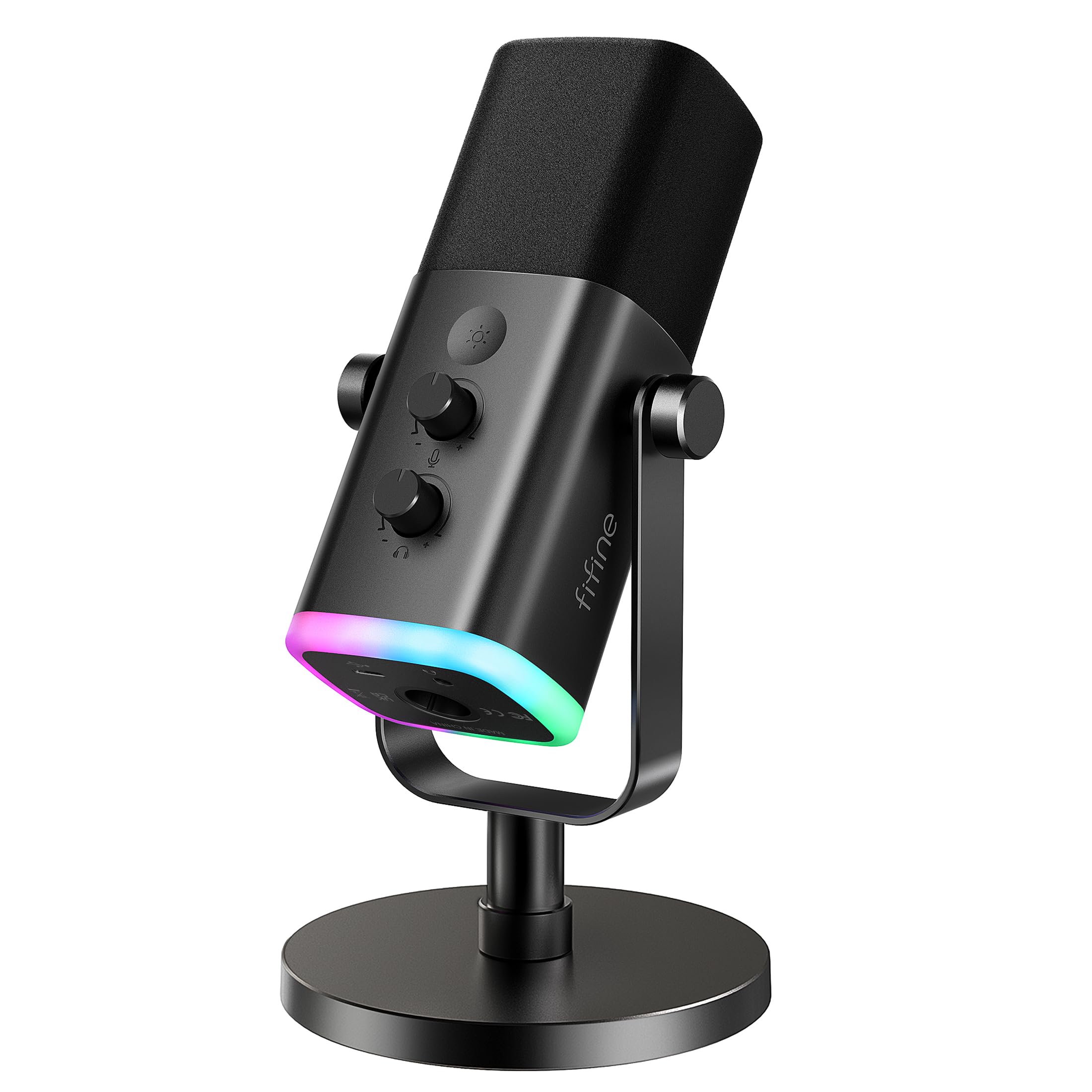
The FIFINE USB/XLR dynamic microphone for podcast recording combines plug-and-play USB controls with an XLR output for creators who may expand their setup over time.
The AM8 is especially appealing for desk recording, streaming, and voice work when easy muting and headphone monitoring matter.
FIFINE AM8 Review Summary
The quick verdict
12,000+ ratings
Read Amazon ReviewsFIFINE AmpliGame AM8
A practical fit for podcasters, streamers, and gamers who want simple USB controls now and an XLR connection option for a later studio setup.
- USB and XLR connection options support direct computer use or connection through an audio interface or mixer. The XLR cable is separate.
- Cardioid dynamic pickup is intended for close, end-address vocal use; the suggested recording distance is 2 to 6 inches.
- The stated frequency response is 50 Hz–16 kHz.
- USB controls include tap-to-mute with an LED reminder, a headphone jack for monitoring, and a microphone gain knob.

Pros
- USB and XLR options can accommodate both a straightforward computer setup and a later interface-based workflow.
- The mute button and visible reminder make quick muting easier to manage during live sessions.
Consider before buying
- The XLR cable is not included, and XLR use also requires an interface or mixer.
- The RGB lighting and microphone function key are available only over USB, so the USB control set does not carry over to XLR.
Read the full review summary
The AM8 is built around a useful split: USB provides the convenient everyday controls, while XLR offers a path to connect through an audio interface or mixer.
Its cardioid dynamic design, end-address pickup, and suggested speaking distance of 2 to 6 inches favor close, directed vocal use; the 50 Hz–16 kHz frequency response describes its stated range, not a guarantee of a particular sound in every room.
For a first microphone, the USB mode brings together a tap-to-mute control with an LED reminder, headphone monitoring, a gain knob, and controllable RGB lighting.
Buyers choosing XLR should plan for a separate XLR cable and interface or mixer, and should know the microphone’s RGB and function key are inactive in that mode.
The AM8 suits creators who value these workflow options more than a one-connection-only setup.
The buying factors
FIFINE AM8 Scorecard
Editorial scores reflect listed features and buyer fit; they are not laboratory measurements or customer ratings.
Connection flexibility
USB supports direct computer use, while XLR can connect to a separate interface or mixer as a recording setup grows.
USB workflow controls
Tap-to-mute, a mute reminder, headphone monitoring, and mic gain adjustment cover useful desk-recording tasks.
Vocal pickup design
The cardioid dynamic format and close 2 to 6 inch suggested range suit directed voice capture.
Setup convenience
USB is described as plug-and-play, while XLR requires separate supporting equipment and cable.
Studio expansion
XLR adds a route into interface- or mixer-based setups, but USB-only controls and RGB do not carry over to that mode.
Desktop customization
USB mode includes multiple RGB modes and colors, with memory for the selected lighting setup.
Key Features and Specifications of FIFINE AM8
- USB and XLR connection options support direct computer use or connection through an audio interface or mixer. The XLR cable is separate.
- Cardioid dynamic pickup is intended for close, end-address vocal use; the suggested recording distance is 2 to 6 inches.
- The stated frequency response is 50 Hz–16 kHz.
- USB controls include tap-to-mute with an LED reminder, a headphone jack for monitoring, and a microphone gain knob.
- USB mode offers an RGB ring with three modes and more than ten color options; lighting settings have a memory function.
- Built-in 3/8-inch and 5/8-inch metal threads allow mounting on many mic stands, and a windscreen cover is included in the described design.
Pros and Cons of FIFINE AM8
Pros
- USB and XLR options can accommodate both a straightforward computer setup and a later interface-based workflow.
- The mute button and visible reminder make quick muting easier to manage during live sessions.
- Headphone monitoring and a dedicated gain knob provide hands-on control in USB mode.
- Thread options give buyers flexibility to mount the mic on compatible stands.
Consider before buying
- The XLR cable is not included, and XLR use also requires an interface or mixer.
- The RGB lighting and microphone function key are available only over USB, so the USB control set does not carry over to XLR.
- The suggested 2 to 6 inch speaking distance calls for close placement; check that your desk or stand arrangement can keep the mic positioned comfortably.
Who Should Buy FIFINE AM8?
Good fit
Consider the AM8 if you want a microphone for podcasting, gaming, streaming, or voice recording that can start in USB mode and later connect by XLR.
The USB controls make it easier to manage muting, monitoring, and gain from the desk without relying on separate computer controls for mute.
It is also a sensible fit if you want lighting customization as part of a USB gaming or streaming setup.
Before choosing it, decide which connection you will use most: XLR requires a separate cable and interface or mixer, and the listed RGB and onboard function key are USB-only.
Who should skip it
Look elsewhere if your immediate setup has no interface or mixer and you specifically need XLR operation; the microphone’s XLR cable is also a separate purchase.
If you plan to use its USB controls and RGB, remain in USB mode, since those functions are not available through XLR.
How the FIFINE AM8 fits a creator’s recording setup
USB controls make the desk workflow tangible
The AM8’s USB mode combines plug-and-play connection with a tap-to-mute button, an LED reminder, headphone monitoring, and a gain knob.
That set of controls is useful when recording or streaming from one desk, where quick adjustments can be easier than switching between software panels.
XLR offers a clear path to a different signal chain
The XLR output lets the AM8 connect to an audio interface or mixer, making it possible to use it within a more equipment-centered recording setup.
This mode has a practical tradeoff: it needs a separate cable and the USB-specific controls and RGB lighting are inactive, so buyers should choose based on the workflow they expect to use.
Close, on-axis placement is part of the intended use
The cardioid dynamic design and end-address orientation make positioning important: the top of the microphone should face the sound source, with a suggested 2 to 6 inch distance.
That is a close-mic arrangement, so check that your monitor, keyboard, and stand leave room to speak comfortably at the intended angle.
Mounting and lighting help tailor a desktop setup
The built-in 3/8-inch and 5/8-inch threads can fit many mic stands, which gives buyers options beyond the included desktop stand.
In USB mode, three RGB modes and more than ten color choices let the mic coordinate with a gaming or streaming setup, while the lighting memory avoids having to reselect a preferred mode after power is cycled.
Alternatives to FIFINE AM8
Multipurpose Dynamic Microphones alternative
5,000+ ratings
Read Amazon ReviewsSamson Q2U
Choose the AM8 if its USB lighting and onboard controls suit your desk workflow.
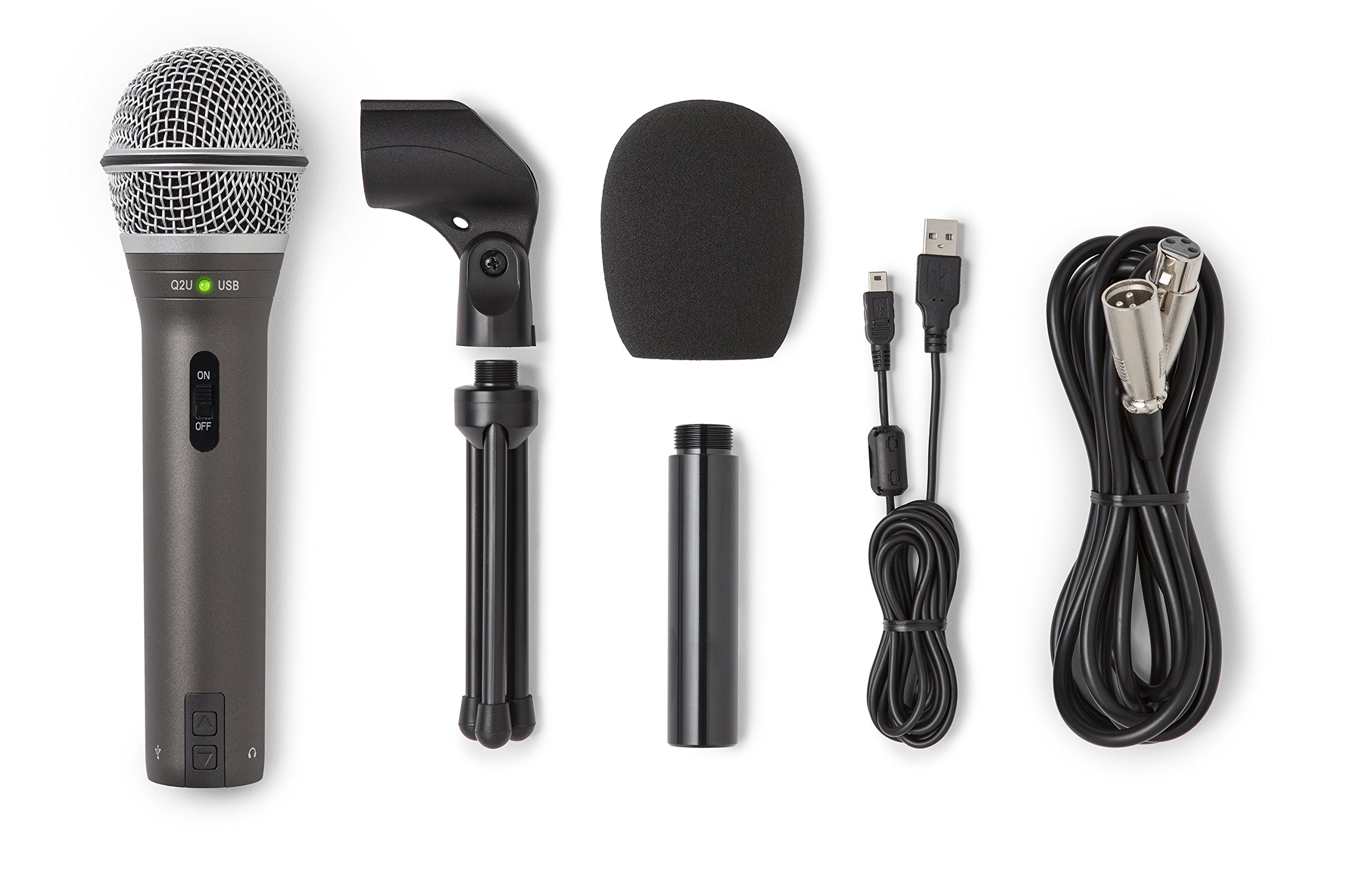
The Q2U is worth considering if you prefer a handheld form and want both connection cables and several mounting accessories included in the described pack.
- The Q2U is a handheld dynamic microphone with USB-C and XLR connections.
- Its supplied kit includes a desktop tripod stand, tripod extension, mic clip, windscreen, USB-C cable, and XLR cable.
- The AM8 pairs USB convenience and an XLR option with USB-only RGB, tap-to-mute, headphone monitoring, and gain control.
Multipurpose Dynamic Microphones alternative
600+ ratings
Read Amazon ReviewsSamson Q9U
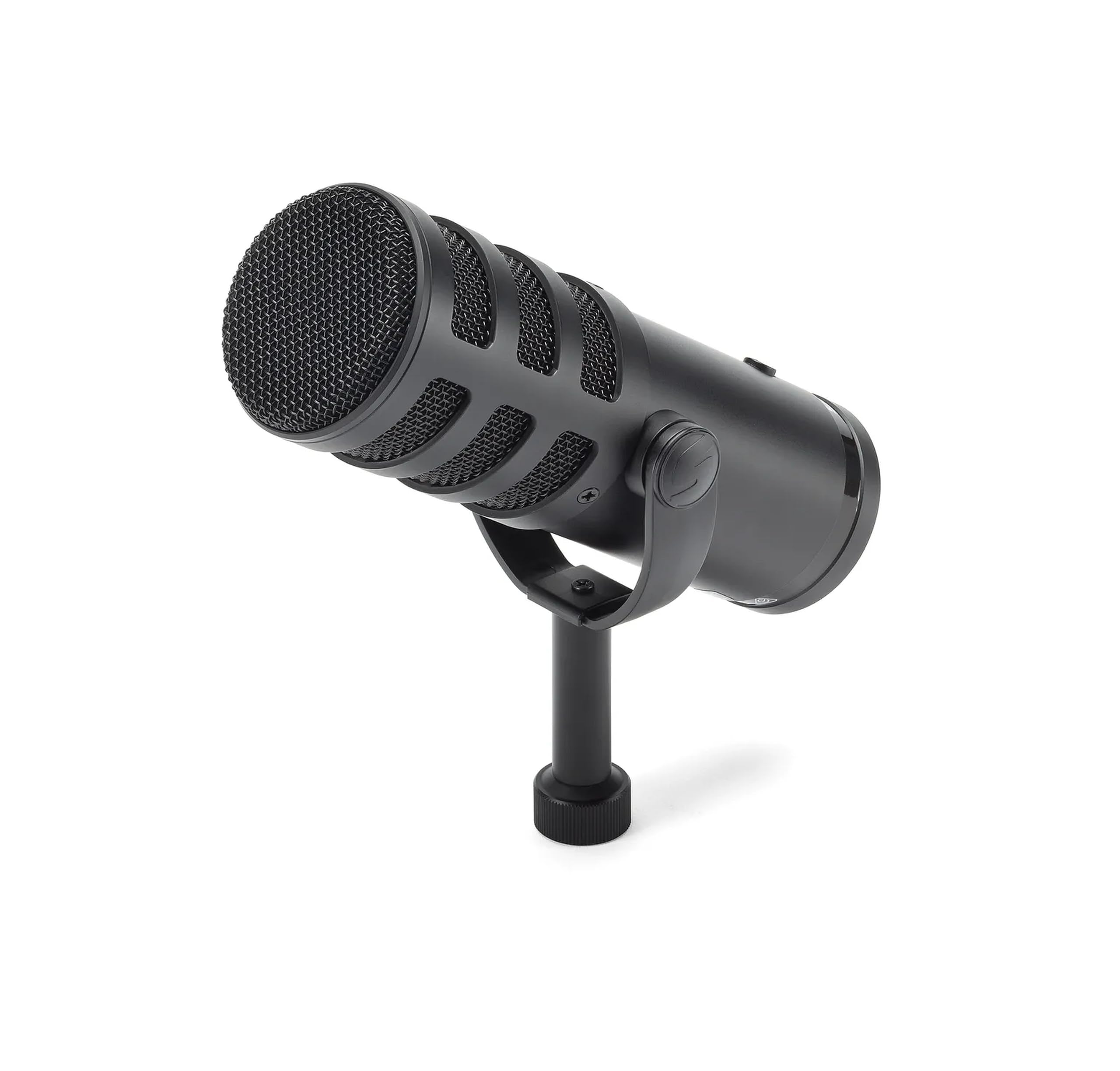
The Q9U may fit buyers who want the mute switch and headphone monitoring available across both connection types, along with specified high-resolution USB recording.
The AM8 may be a better match for someone prioritizing USB lighting and its dedicated gain control.
- The Q9U provides USB-C and XLR, USB digital recording at 24-bit/96 kHz, zero-latency headphone monitoring, a mute switch that works on both outputs, and an internal shock mount with a dual-layer windscreen.
- The AM8 offers simple USB controls and RGB, but those features are inactive when using its XLR connection.
Is FIFINE AM8 Worth It?
The FIFINE AmpliGame AM8 is worth considering for a creator who wants a flexible desk microphone with practical USB controls and the option to move to XLR later.
Its close cardioid vocal design, tap-to-mute control, headphone monitoring, and gain knob make the USB setup straightforward to manage.
Plan around the connection tradeoff: XLR requires a separate cable and interface or mixer, and its mode does not provide the USB RGB or onboard function key.
If that fits your intended workflow and close mic placement, the AM8 offers a useful combination of everyday convenience and expansion potential.
Your review at a glance
12,000+ ratings
Read Amazon ReviewsFIFINE AmpliGame AM8
A practical fit for podcasters, streamers, and gamers who want simple USB controls now and an XLR connection option for a later studio setup.
- USB and XLR connection options support direct computer use or connection through an audio interface or mixer. The XLR cable is separate.
- Cardioid dynamic pickup is intended for close, end-address vocal use; the suggested recording distance is 2 to 6 inches.
- The stated frequency response is 50 Hz–16 kHz.
- USB controls include tap-to-mute with an LED reminder, a headphone jack for monitoring, and a microphone gain knob.