This Donner Starrypad MIDI controller review looks at a pad-focused option for producers who want to trigger drums, samples, and effects from a compact control surface.
Donner STARRYPAD Review Summary
The quick verdict
400+ ratings
Read Amazon ReviewsDonner STARRYPAD
A pad-focused controller for producers who want assignable triggers, extra hands-on controls, and DAW-based music making.
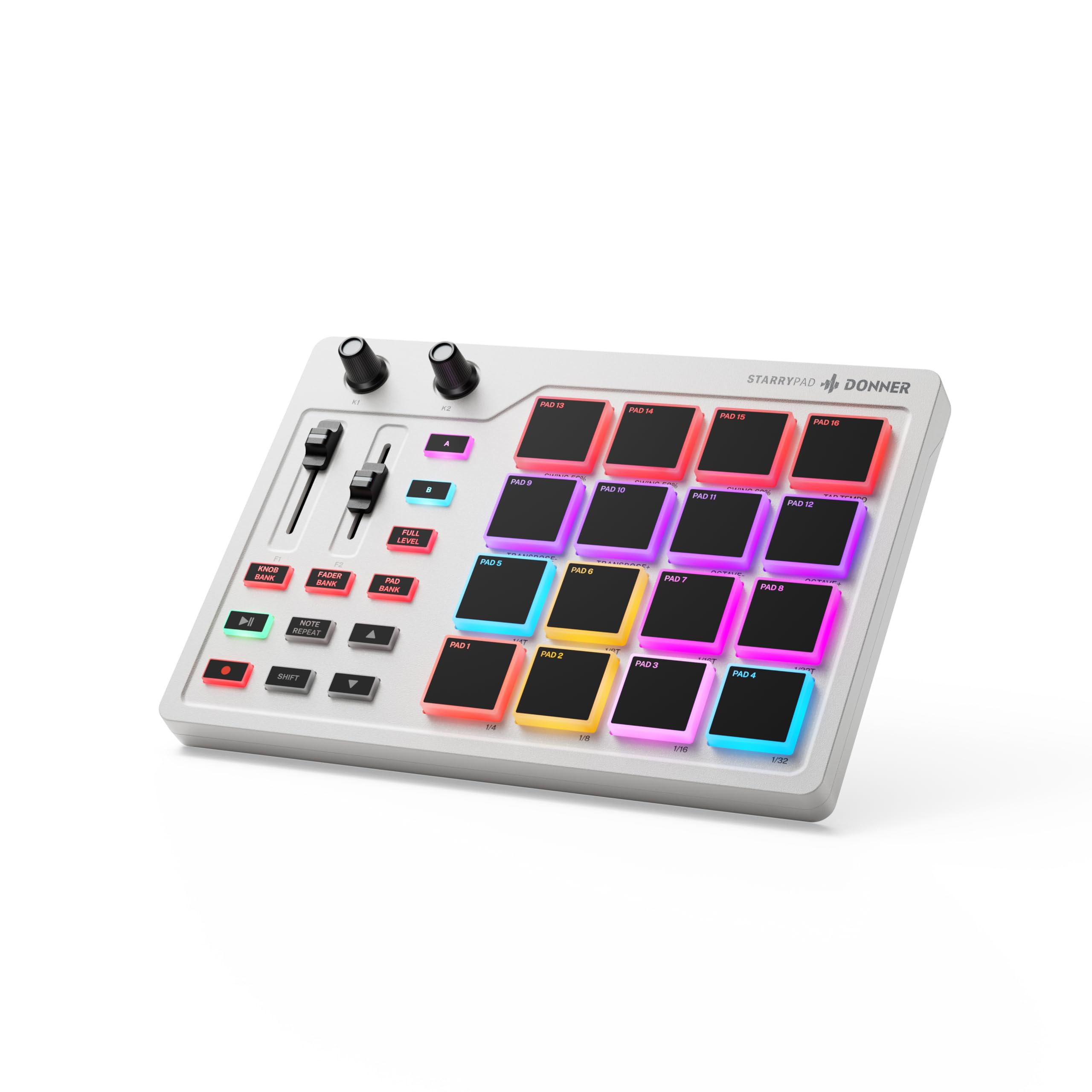
- Sixteen soft silicone backlit pads can trigger drums, samples, and effects.
- Three switchable pad banks provide up to 48 assignable pads.
- Adjustable velocity sensitivity curves let users tailor pad response.
- Two faders, two knobs, three buttons, and a Shift key add control assignments.

Pros
- Up to 48 assignable pad positions across three banks.
- Extra faders, knobs, buttons, and a Shift layer expand hands-on control.
Consider before buying
- It needs DAW software to produce sound, which makes it a poor fit as a standalone beat machine.
- The included editor sets pad lighting but does not record or arrange music, so those jobs need other software.
Read the full review summary
STARRYPAD’s 16 soft silicone backlit pads can trigger drums, samples, effects, and more, with three switchable banks for up to 48 assignable pads.
That layout suits beat makers who want to shape and time pad input with adjustable velocity sensitivity curves and Tap Tempo synchronized with a DAW.
The appeal depends on an existing or planned DAW workflow: STARRYPAD does not make sound by itself.
It adds two faders, two knobs, three buttons, MIDI in/out, and a USB-C connection, so it can work as a trigger-and-control surface for software instruments or compatible external MIDI gear.
The buying factors
Donner STARRYPAD Scorecard
Editorial scores reflect listed features and buyer fit; they are not laboratory measurements or customer ratings.
Pad layout and assignment
Sixteen backlit pads span three switchable banks for up to 48 assignable triggers, a strong fit for organizing several sound groups on one controller.
Hands-on control
Two faders, two knobs, three buttons, and a Shift layer give producers more control assignments alongside the pads.
Velocity shaping
Adjustable velocity sensitivity curves provide a way to tailor pad response to a player's touch and preferred workflow.
DAW timing tools
Tap Tempo synchronizes with a DAW and Note Repeat is included, useful tools for working with rhythmic parts inside software.
Software and device flexibility
Compatibility spans Android, iOS, Mac, and Windows, and the controller includes MIDI in/out as well as USB-C. A DAW remains necessary for sound.
Standalone use
This is a MIDI controller rather than a self-contained drum machine, so buyers need a DAW or suitable external MIDI instrument in their setup.
Key Features and Specifications of Donner STARRYPAD
- Sixteen soft silicone backlit pads can trigger drums, samples, and effects.
- Three switchable pad banks provide up to 48 assignable pads.
- Adjustable velocity sensitivity curves let users tailor pad response.
- Two faders, two knobs, three buttons, and a Shift key add control assignments.
- Seven backlight colors provide visual grouping for pad assignments.
- USB-C and MIDI in/out support connection to computers and external MIDI equipment.
- Melodics courses and Cubase LE software are included; a code is needed to access them.
Pros and Cons of Donner STARRYPAD
Pros
- Up to 48 assignable pad positions across three banks.
- Extra faders, knobs, buttons, and a Shift layer expand hands-on control.
- Pad lighting offers seven colors for visual grouping.
- MIDI in/out allows connection to external synthesizers or vintage MIDI equipment.
Consider before buying
- It needs DAW software to produce sound, which makes it a poor fit as a standalone beat machine.
- The included editor sets pad lighting but does not record or arrange music, so those jobs need other software.
- Connecting to an iPhone or iPad requires an Apple Lightning to USB Adapter, so mobile buyers should account for that extra connection step.
- Accessing the included courses and Cubase LE requires obtaining a code from customer service.
Who Should Buy Donner STARRYPAD?
Good fit
Choose STARRYPAD if your workflow starts with triggering drum hits, samples, or effects and you want several banks of assignable pads.
Adjustable velocity curves, Note Repeat, and Tap Tempo give the pad setup more flexibility for programming and playing rhythmic parts in a DAW.
It also makes sense for producers who want pad control plus a few physical assignments for software instruments or mixing tasks.
MIDI in/out gives a route to external synths, while the included Melodics courses and Cubase LE can help start a software-based setup once the access code is obtained.
Who should skip it
Skip it if you need a self-contained drum machine that makes sound without a computer, mobile DAW, or external MIDI instrument. STARRYPAD relies on DAW software to sound, so it is meant to control another sound source.
Look elsewhere if your main task is recording or arranging music from the controller's editor, or if you want a keybed for keyboard parts.
The editor handles pad lighting only, and STARRYPAD is built around pads and controls rather than a stated keyboard layout.
Donner STARRYPAD: Pad Control for a DAW-Based Setup
A pad surface built around sound triggering
The core decision is whether a pad-first workflow matches your music making. Sixteen pads cover immediate triggers, and three banks expand the available assignments to 48.
That arrangement can keep multiple groups of sounds within reach without relying on a keyboard layout.
Control assignments beyond the pads
The faders, knobs, buttons, and Shift layer make STARRYPAD more than a trigger grid.
They offer additional controls to map to compatible software or instruments; the useful assignments will depend on how a producer configures a DAW or external MIDI device.
Software is part of the instrument chain
STARRYPAD sends MIDI control rather than generating sound on its own.
A DAW is the straightforward route for triggering software drums and samples; the MIDI ports also allow connection to external synthesizers, so the controller can fit setups that use hardware sound sources.
Setup details for mobile producers
The USB-C connection and stated compatibility across Android, iOS, Mac, and Windows support a range of host devices.
For iPhone or iPad use, an Apple Lightning to USB Adapter is required, and the controller still needs a DAW or another sound source to function musically.
Alternatives to Donner STARRYPAD
Computer Recording MIDI Controllers alternative
300+ ratings
Read Amazon ReviewsDonner DMK25 Pro MIDI Keyboard Controller
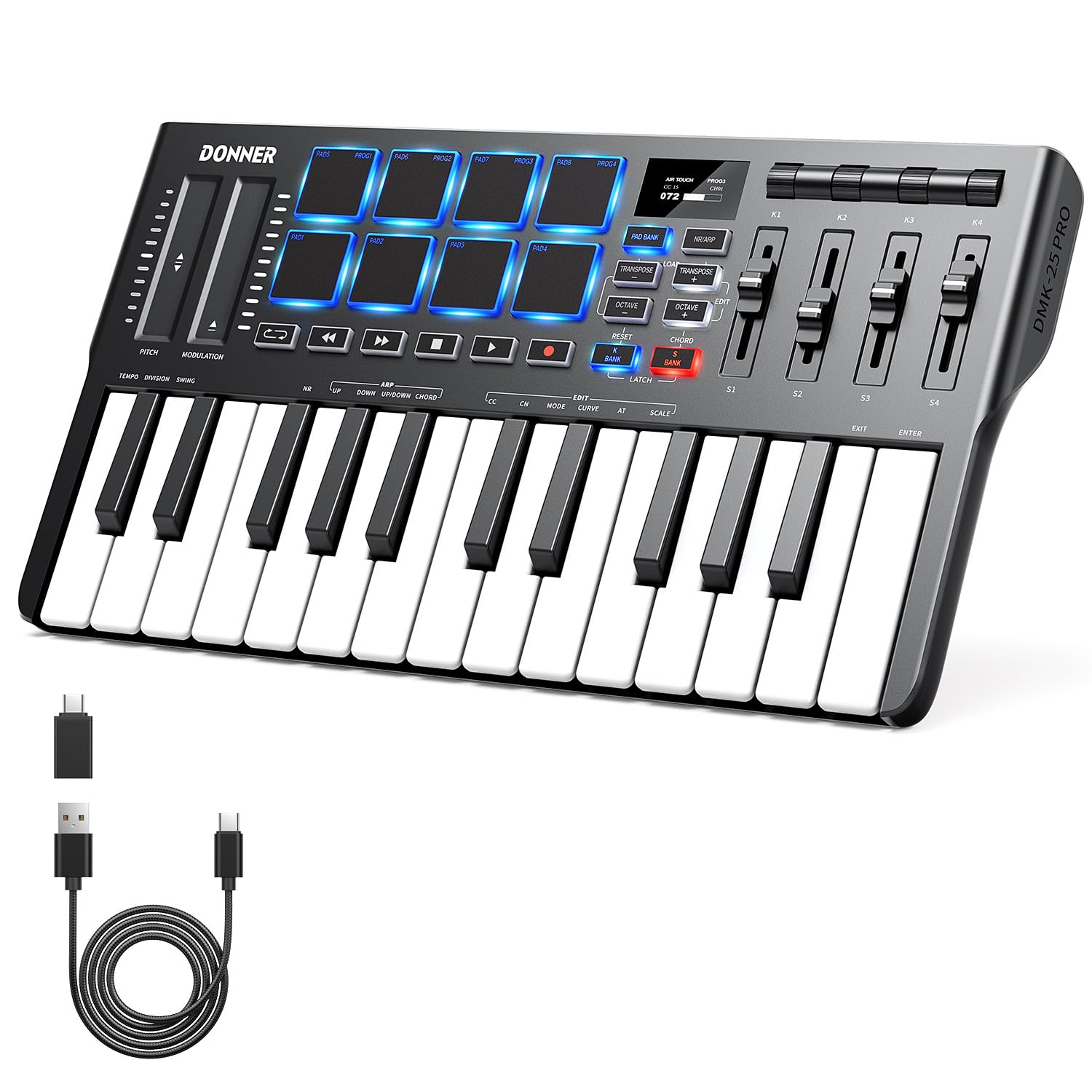
Prefer STARRYPAD when dedicated assignable drum and sample triggering is the priority; choose DMK25 Pro if you want mini keys alongside pads and keyboard-oriented composition controls.
- DMK25 Pro combines mini keys with eight velocity-sensitive pads, an OLED display, and arpeggio, note repeat, and chord functions. It also needs DAW software to produce sound.
- STARRYPAD is centered on assignable pads for triggering drums, samples, and effects, with additional faders and knobs for mapped controls.
Computer Recording MIDI Controllers alternative
400+ ratings
Read Amazon ReviewsDonner N-32 MIDI Keyboard
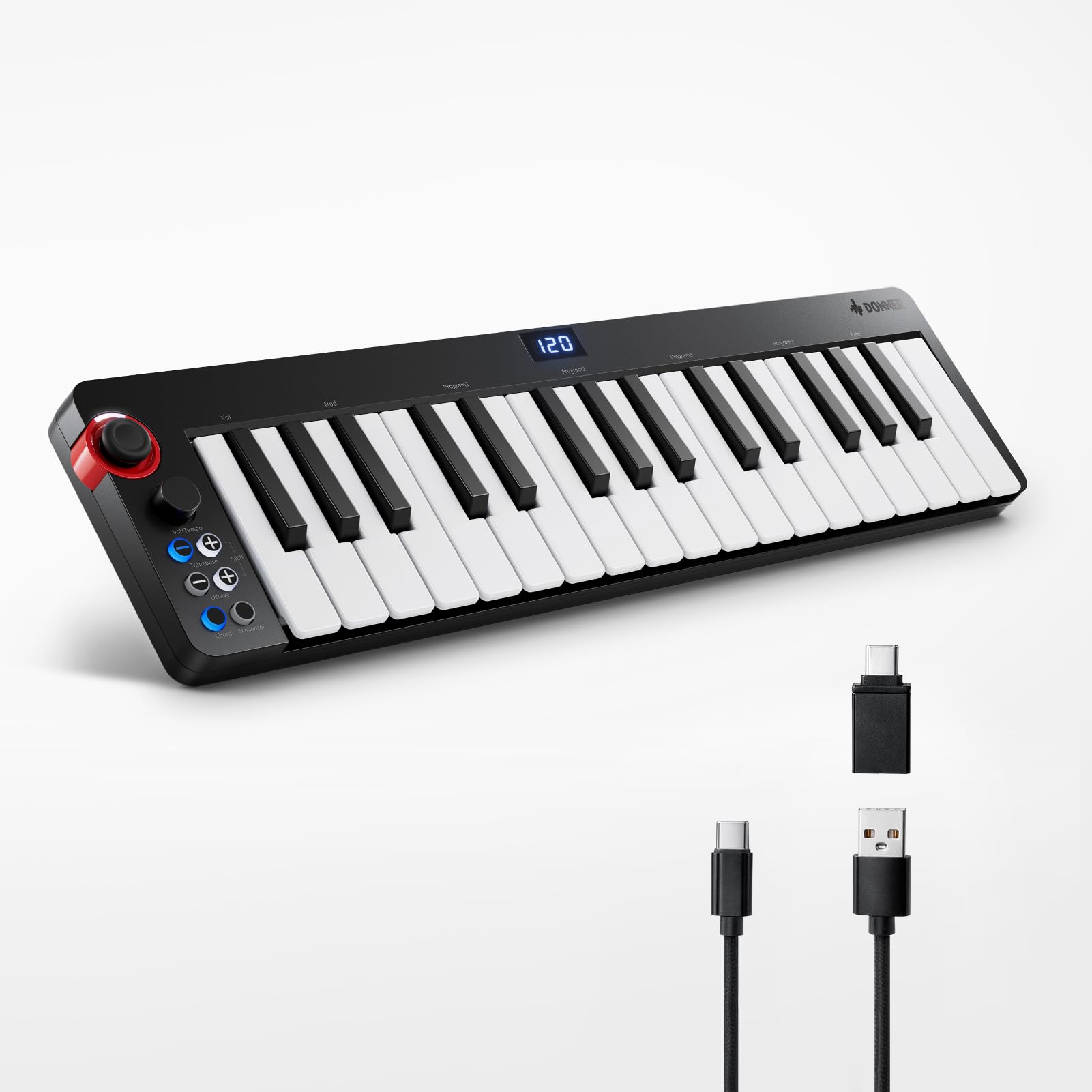
Choose STARRYPAD for a pad-driven beat-making surface; choose N-32 if velocity-sensitive keys and keyboard tools such as a sequencer and chord arpeggiator better suit your composing workflow.
- N-32 is a key-based controller with 32 velocity-sensitive keys, a sequencer, chord arpeggiator, and other keyboard functions. It needs DAW software to produce sound.
- STARRYPAD provides assignable pads and extra faders, knobs, and buttons for triggering sounds and controlling a DAW or MIDI instrument.
Is Donner STARRYPAD Worth It?
Donner STARRYPAD is worth considering for beat makers who want a dedicated banked pad surface, velocity shaping, and a handful of extra DAW controls.
Its MIDI connections and USB-C interface support software or external-instrument workflows, while the included courses and Cubase LE provide a starting point for supported software use.
Buy it when pads are the right input and you already have, or plan to add, the DAW or MIDI sound source it needs.
Pass if you expect standalone sound generation or editor-based recording and arranging; those expectations do not match this controller's role.
Your review at a glance
400+ ratings
Read Amazon ReviewsDonner STARRYPAD
A pad-focused controller for producers who want assignable triggers, extra hands-on controls, and DAW-based music making.
- Sixteen soft silicone backlit pads can trigger drums, samples, and effects.
- Three switchable pad banks provide up to 48 assignable pads.
- Adjustable velocity sensitivity curves let users tailor pad response.
- Two faders, two knobs, three buttons, and a Shift key add control assignments.