A thoughtful gift for a programmer can make a familiar workspace more comfortable, connect the tools they use every day, or support a creative side project.
These 10 gift ideas for programmers range from small practical add-ons to substantial desk and audio upgrades. Check compatibility and current details before buying.
10 Gift Ideas for Programmers
FIFINE T669 USB Studio Microphone Kit

- The USB connection provides plug-and-play setup with a PC or laptop.
- The cardioid capsule captures sound from the front while avoiding ambient noise.
- The kit includes a boom arm stand and pop filter for a desk recording setup.
Best Gift For: A programmer who records podcasts, voiceovers, or vocals at a desk.

HUANUO FlowLift Dual Monitor Stand

- Each arm holds monitors weighing 4.4 to 19.8 lbs, with VESA 75x75mm or 100x100mm mounting holes.
- The arms tilt, swivel, and rotate to adjust screen position.
- Built-in cable management guides cords along the arms.
Best Gift For: A programmer with two compatible monitors and a suitable wooden desk.
Nulaxy 18-Inch Rotating Laptop Stand
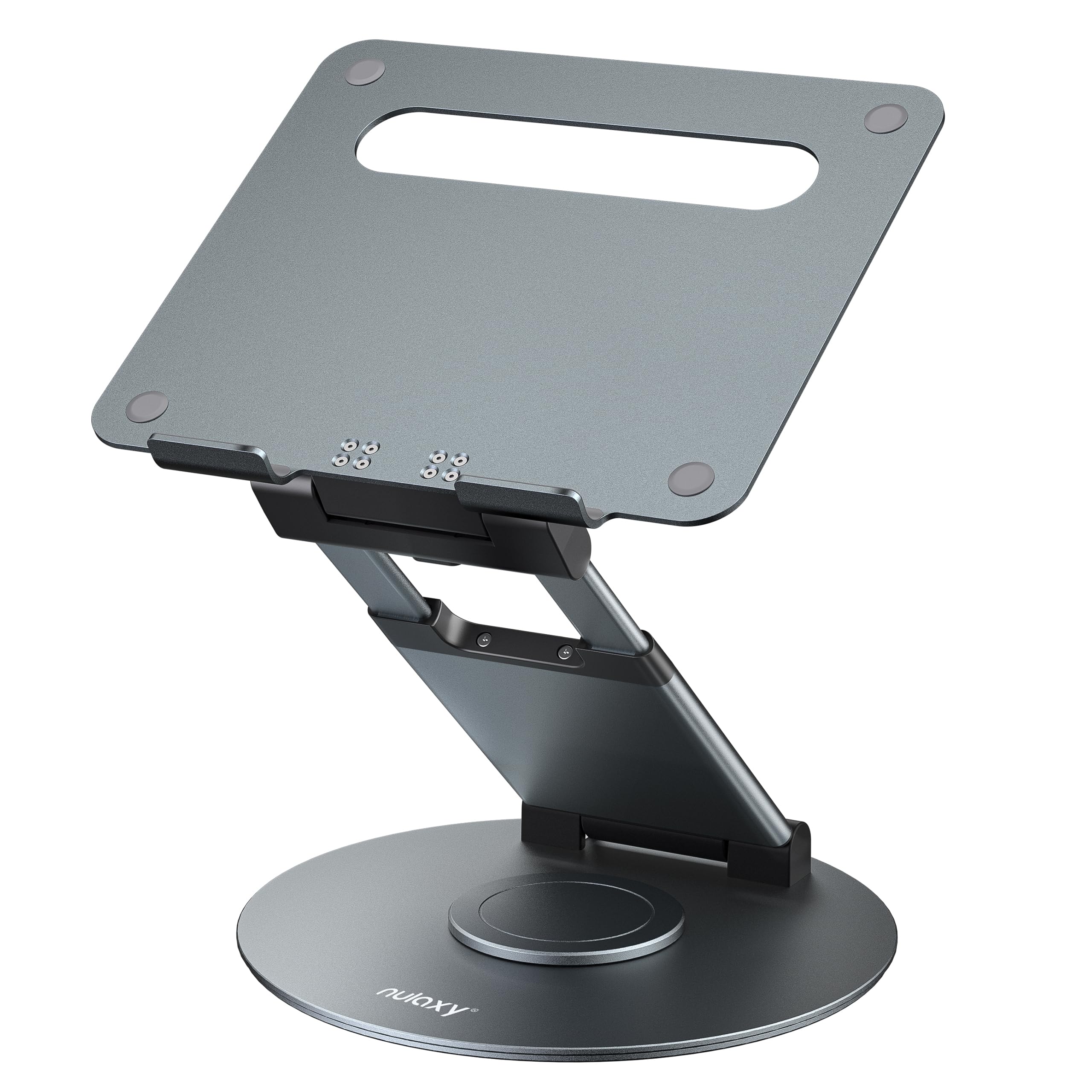
- The stand rotates to make sharing a screen easier.
- Its adjustable height supports sitting or standing work positions.
- Fits laptops, notebooks and tablets up to 17 inches.
Best Gift For: A programmer who shares a laptop screen or alternates between sitting and standing.
SteelSeries Aerox 3 Wireless Gaming Mouse

- The mouse has a lightweight shell designed for fast gameplay.
- It connects over 2.4GHz wireless or Bluetooth.
- Its three-zone RGB lighting offers configurable colors.
Best Gift For: A programmer who also enjoys wireless PC gaming.
SteelSeries Apex Pro TKL Gaming Keyboard

- Set per-key actuation across 40 levels, from 0.1 to 4.0mm.
- Two actions can be programmed to the same key.
- The tenkeyless keyboard has a detachable USB-C connection.
Best Gift For: A programmer who likes customizing key response and also plays PC games.
Audioengine A2+ Wireless Computer Speakers

- The speakers are designed for nearfield listening on desks.
- They can stream from phones, tablets, and computers over Bluetooth.
- USB-C, RCA, and 3.5mm AUX inputs support wired connections.
Best Gift For: A programmer who listens to music, podcasts, or audio at a desk.
SABRENT USB-C Hub and M.2 SSD Dock

- The hub includes three USB Type-A ports for peripherals.
- The HDMI 2.0 port supports an external display at up to 4K@60Hz.
- The internal M.2 slot supports SATA or NVMe SSDs.
Best Gift For: A programmer who wants added ports and portable storage options for a compatible laptop.
SABRENT USB-C and USB-A SD Card Reader

- USB-C and USB-A connections work across supported device ports.
- Dual slots read SD and Micro SD card formats.
- Its compact design is easy to carry in a laptop bag or camera case.
Best Gift For: A programmer who moves files from cameras or other devices with SD or Micro SD cards.
TP-Link BE6500 WiFi 7 Router
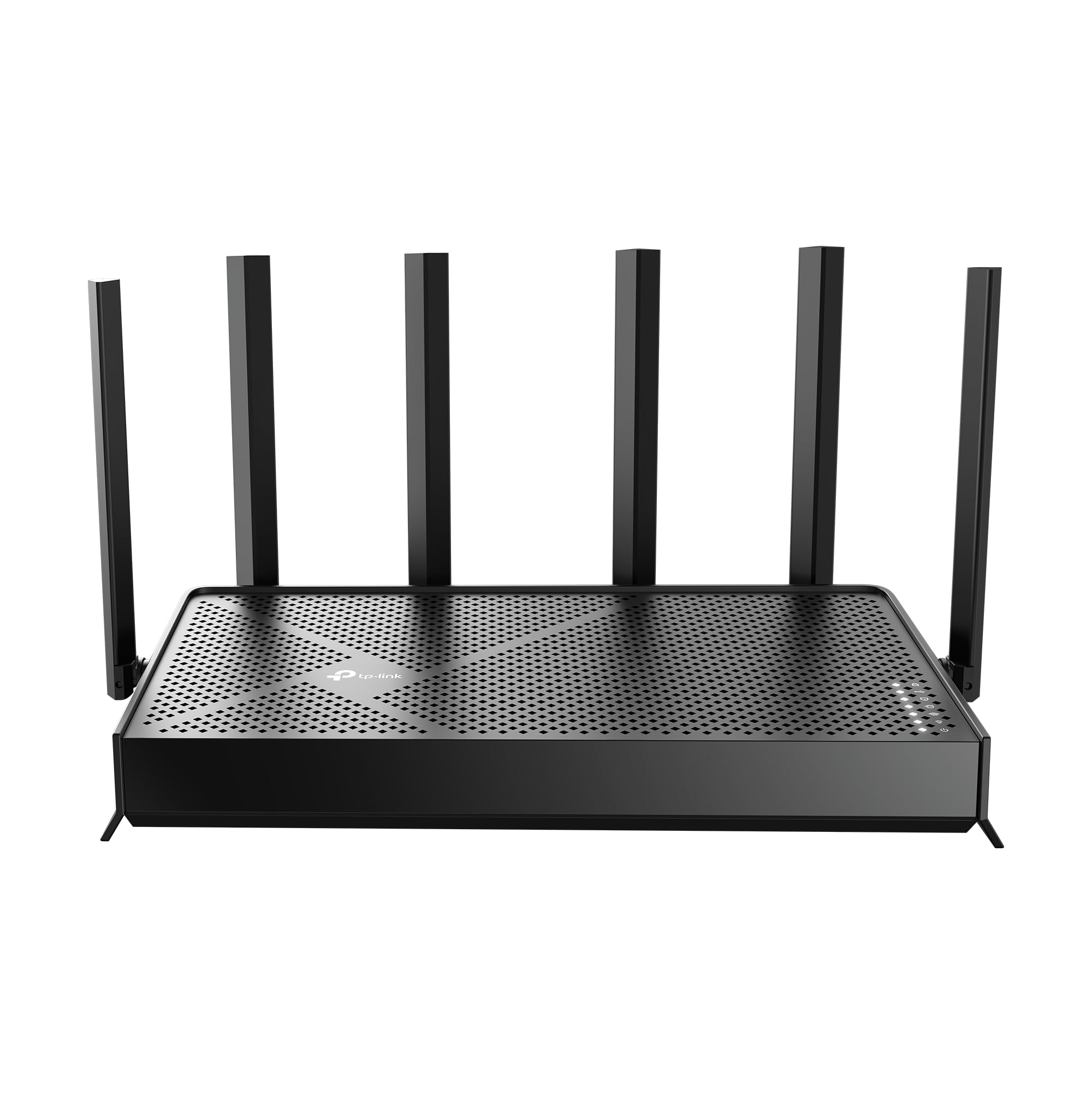
- The router supports WiFi 7 technology.
- It has wired 2.5 Gbps ports for network connections.
- The Tether app or web interface can be used to manage network settings.
Best Gift For: A programmer upgrading a home network for work and connected devices.
MAONO Wave T5 Wireless Lavalier Microphone

- The microphone records at 48kHz/24-bit.
- Four voice presets include options for everyday recording and storytelling.
- The transmitter and charging case provide up to 40 hours of total use.
Best Gift For: A programmer who records videos, tutorials, or podcasts on a phone, camera, or computer.
Choosing gifts for programmers by workspace and routine
When choosing gifts for programmers, start with the moments that shape their day. Someone who spends most of the time at one desk may appreciate a better arrangement for screens or a way to connect more equipment.
A person who records tutorials, podcasts, or demos may value audio tools instead.
Think about what they already use before picking a device. A monitor stand depends on screen mounting and desk compatibility, while a laptop accessory needs to match the computer’s ports and size.
If you are unsure, a compact card reader or another broadly useful accessory can be easier to fit into an existing setup.
A gift also has to suit the space. A dual-screen mount or desktop speakers make more sense for a settled workstation, while a portable adapter can help someone who moves between rooms or works away from home.
Consider the recipient’s habits, available desk space, and whether they like to configure their own equipment.
Balancing budget and usefulness
For a modest budget, small tools that solve an everyday inconvenience can be thoughtful choices. A file-transfer accessory or a stand for an existing laptop can be useful without requiring a full workstation change.
Choose based on a real routine, such as moving project media or sharing a screen during a conversation.
A larger purchase deserves more checking. Audio gear, a keyboard, network equipment, or a monitor mount can make a meaningful upgrade, but compatibility and the recipient’s preferences matter.
Check current product details, connection standards, dimensions, and whether the gift requires anything else to work as intended.
It can help to ask a trusted friend or family member about the recipient’s setup, or to give a gift card toward a planned upgrade. Compare the actual prices and return terms before buying; prices change, and a more expensive choice is not automatically a better fit for a particular desk or workflow.
Personalizing gifts for programmers
Personalization can make practical gifts feel considered. For gifts for programmers, connect the item to a project or habit you already know about: a first coding tutorial series, a home recording project, or a desk they recently reorganized.
A short note explaining why it made you think of them adds warmth without turning the gift into a work assignment.
If you are uncertain about technical compatibility, keep the packaging easy to exchange and include a note offering to help check connections together. Avoid assuming what computer, monitor, operating system, or accessories they own.
A quick conversation can confirm the details while still leaving room for a surprise.
Presentation can suit the recipient’s style. Wrap a small accessory with a handwritten note, or pair a desk upgrade with a card that invites them to choose where it goes.
For a bigger item, a printed picture or simple clue can signal the idea without requiring them to install or configure anything on the spot.
Last-minute buying advice
For a quick decision, choose something with a clear use and few unknowns. A compact accessory can be easier to wrap and assess than an item that depends on a complex workspace setup.
Check the exact product version and compatibility information before placing an order, especially when the recipient’s devices are unfamiliar.
Before checkout, review the current price, dimensions, included components, and connection requirements. Also check the retailer’s delivery estimate for the recipient’s location and the date you need.
These details can change, so verify them at purchase time instead of relying on an old search result or an assumption.
If timing is tight, a digital note describing the planned gift or a gift card can preserve the occasion while the recipient chooses the exact fit. For a physical item, use a simple card to explain what made you think of them.
A useful gift should feel personal and leave the recipient in control of their workspace.